Recovery Explorer Standard
- Effortless data recovery from various devices
- Speedy and efficient scan for lost data
- Data retrieval from disk images and virtual disks
- Diverse additional options for enhanced usability
- Wizard-based mode to make the procedure easy as pie
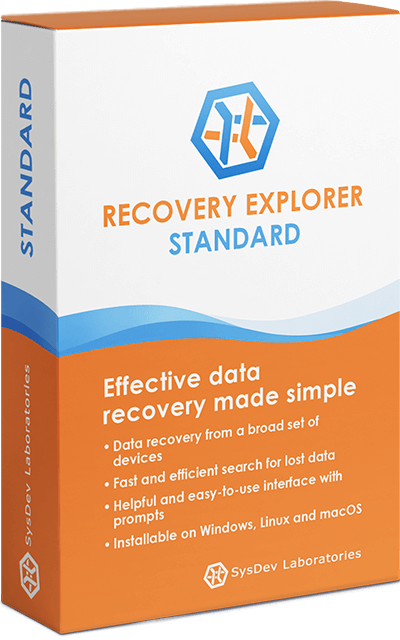
Easy and quick data recovery with Recovery Explorer Standard
Accessible even for beginners, this data recovery software will help you restore files lost due to accidental deletion, mistaken formatting, file system damage caused by virus attacks, or other issues. The program works with common internal and external storage media, such as internal HDDs and SSDs, external drives, USB sticks, memory cards, as well as disk images created from these devices, making it a practical choice for typical home and office recovery tasks. Available for Windows, macOS, and Linux, the application is designed to handle logical data loss efficiently while keeping the recovery process clear and straightforward. An optional wizard-style interface can further simplify the workflow by providing step-by-step guidance from start to finish.
Recovery Explorer Standard has been developed to provide non-technical users with a simple and effective way to achieve professional-quality data recovery on common storage devices. If you’re a specialist in this domain, you might be interested in a more advanced solution targeted at experts – UFS Explorer Standard Recovery. Check a quick comparison of these basic programs to choose the option that best fits your data recovery needs.
Typical data recovery scenarios
Recovery Explorer Standard is designed to help with common data loss and access situations, including:
- Recovering files deleted by mistake or after emptying the Recycle Bin or Trash
- Restoring data after accidental formatting or deleting/resizing partitions
- Recovering files lost due to software issues, system crashes, or power failures
- Accessing data from corrupted, RAW, or unreadable drives
- Retrieving files when the system prompts you to format the storage
- Recovering data after virus or malware attacks
- Accessing files stored in unsupported or non-native file systems
- Working with disk images and virtual disks instead of physical storage devices
- Recovering data from hard drives, SSDs, USB drives, and memory cards
Important note:
If your case involves RAID arrays or other complex multi-disk systems, consider Recovery Explorer RAID or Recovery Explorer Professional.
Features of Recovery Explorer Standard
- Data recovery
-
- Local and external hard drives
- Any portable storage media: USB flash drives, SD cards,
MicroSDs, MiniSDs, MMCs, Memory Sticks, etc. - Disk images and virtual disks (including VMware VMDK, Hyper-V VHD/VHDX, QEMU/XEN QCOW/QCOW2, VirtualBox VDI, Parallels HDD/HDS, Apple DMG, sparsebundle, backupbundle, R-Studio RDR)
- Supported file systems
-
- Windows: FAT/FAT32, exFAT, NTFS, ReFS/ReFS3
- macOS: HFS+, APFS
- Linux: Ext2/Ext3/Ext4, UFS/UFS2, Adaptec UFS, big-endian UFS, XFS, ReiserFS, JFS, Btrfs
- Data access
-
- Immediate access to files and folders
- Instantaneous pre-recovery file system analysis
- Opening custom block devices (SCSI, CD/DVD, RAID, etc.)
- Scanning
-
- Instant detection of lost partitions
- Automated partition aligning
- Possibility to define lost partitions manually
- Full-range storage scan for all-at-once data recovery
- Possibility to choose the way of handling the existing file system
- IntelliRAW™ with custom rules for data recovery by known content
- The options of pausing and resuming the scanning procedure
- Preview of intermediate scan results
- Saving a file with the results of a scan for further work
- Additional functions
-
- Alternative simple Wizard-style mode
- Zoomable user-friendly interface
- Optional “dark” color theme
- On-the-spot preview of files (images, documents, videos, archives, etc.)
- Indication of validity for files in scan results
- Hexadecimal viewer for storages, partitions and files
- Quick and advanced file search
- Saving files in accordance with the applied filter
- Evaluation of the size and consistency for the data
- Built-in basic disk imager
- S.M.A.R.T monitor for drives
- Logging of events occurred during work with the program
- Integrated manager for custom IntelliRAW™ rules
Technical data
- Host operating systems
-
- Microsoft Windows ®: Windows ® XP with Service Pack 3 and later
- Apple macOS: version 11 and above
- Linux: most modern Linux distributions (software API requires ld-linux.so.3, libstdc++.so.6, libX11.so.6, libpthread.so.0)
- Not supported: iOS, Android, Windows RT, Windows Mobile, etc.
- Host CPU architectures
-
- AMD64 (x86-64)
- Intel Architecture, 32-bit (IA-32, x86)
- Apple Silicon (arm64)
- Trial software limitations
-
- The software copies files, the size of which doesn’t exceed 256 KB
- Licensing and maintenance
-
- Unlimited in time usage of a licensed version
- 360 days of free software updates
- Personal, Corporate and Commercial licenses are available, each granting specific rights of software use.
- * Apple HFS+/ Ext2-Ext4: A limited number of files can be recovered with their original names due to the specifics of the file systems
- * UFS/UFS2: Very limited support for deleted data recovery
Pricing
- Trial license
- Free
- Personal license
- $47.95
- Commercial license
- $79.95
- Corporate license
- $139.95